Installation
Installation (Common Steps)
To install the theme, please log in to your Shopify store and go to the Themes. From there, follow the instruction below:
Step 1 - Unzip the demo-theme.zip package.
2. In your back office go to: Online Store > Themes:
3. Click: Upload a theme
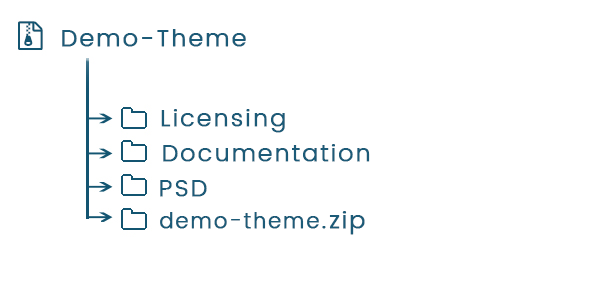
- Download Theme Packge.
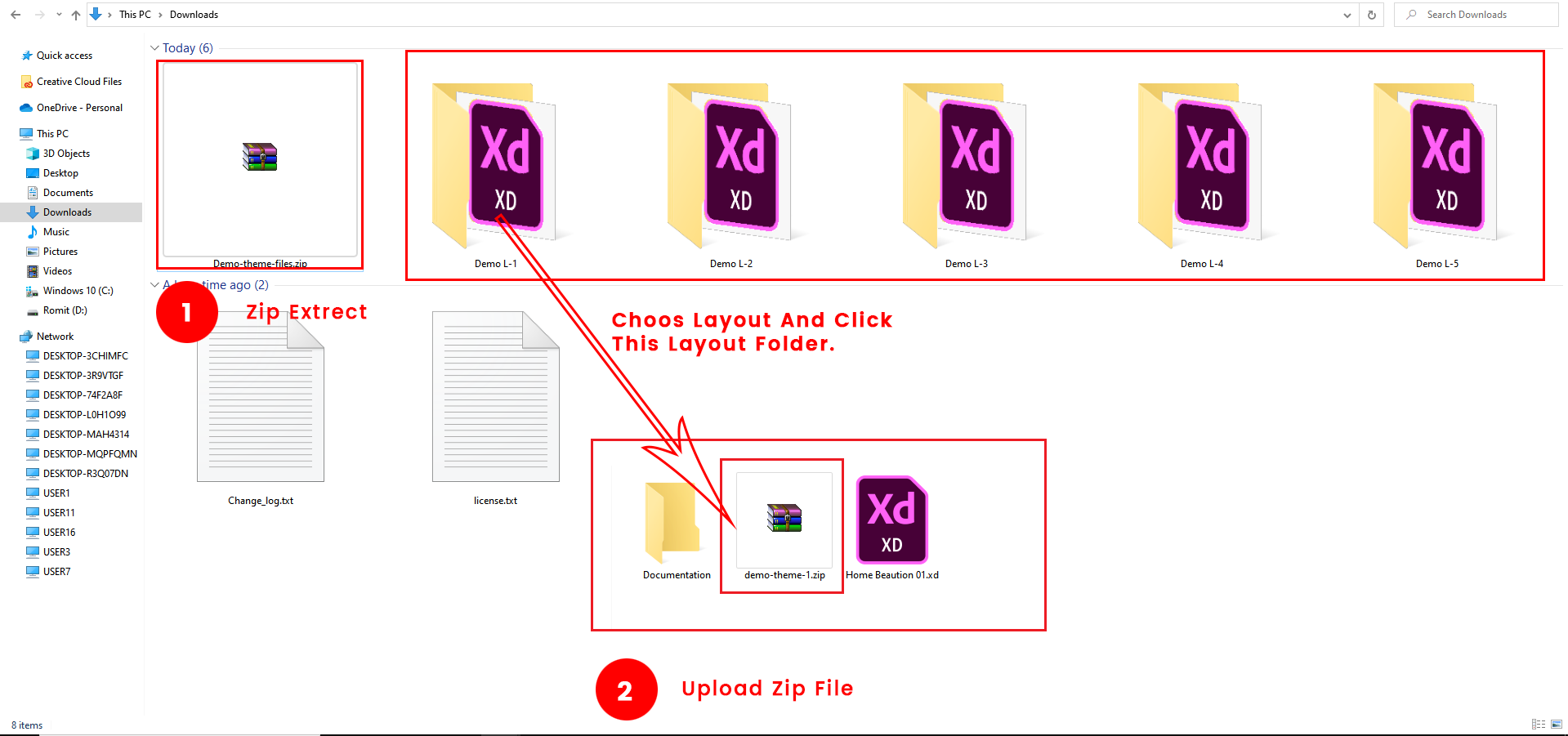
- Extrect Zip:- demo-theme-file.zip > Demo L-1 to L-5 > demo-theme-1.zip
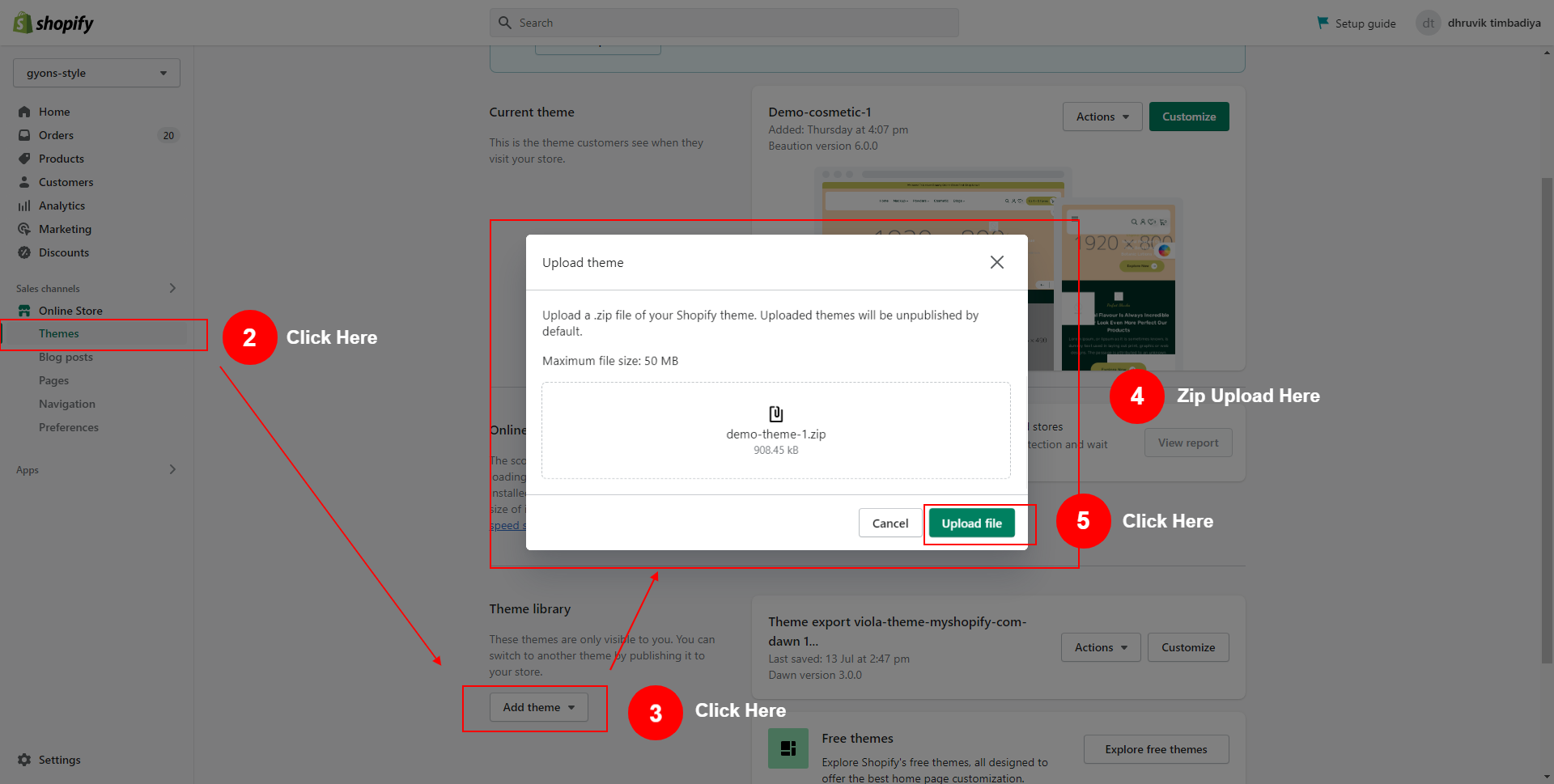
- Upload Zip Your Shopify Store:- Themes > Add Theme > Upload demo-theme-1.zip Upload File
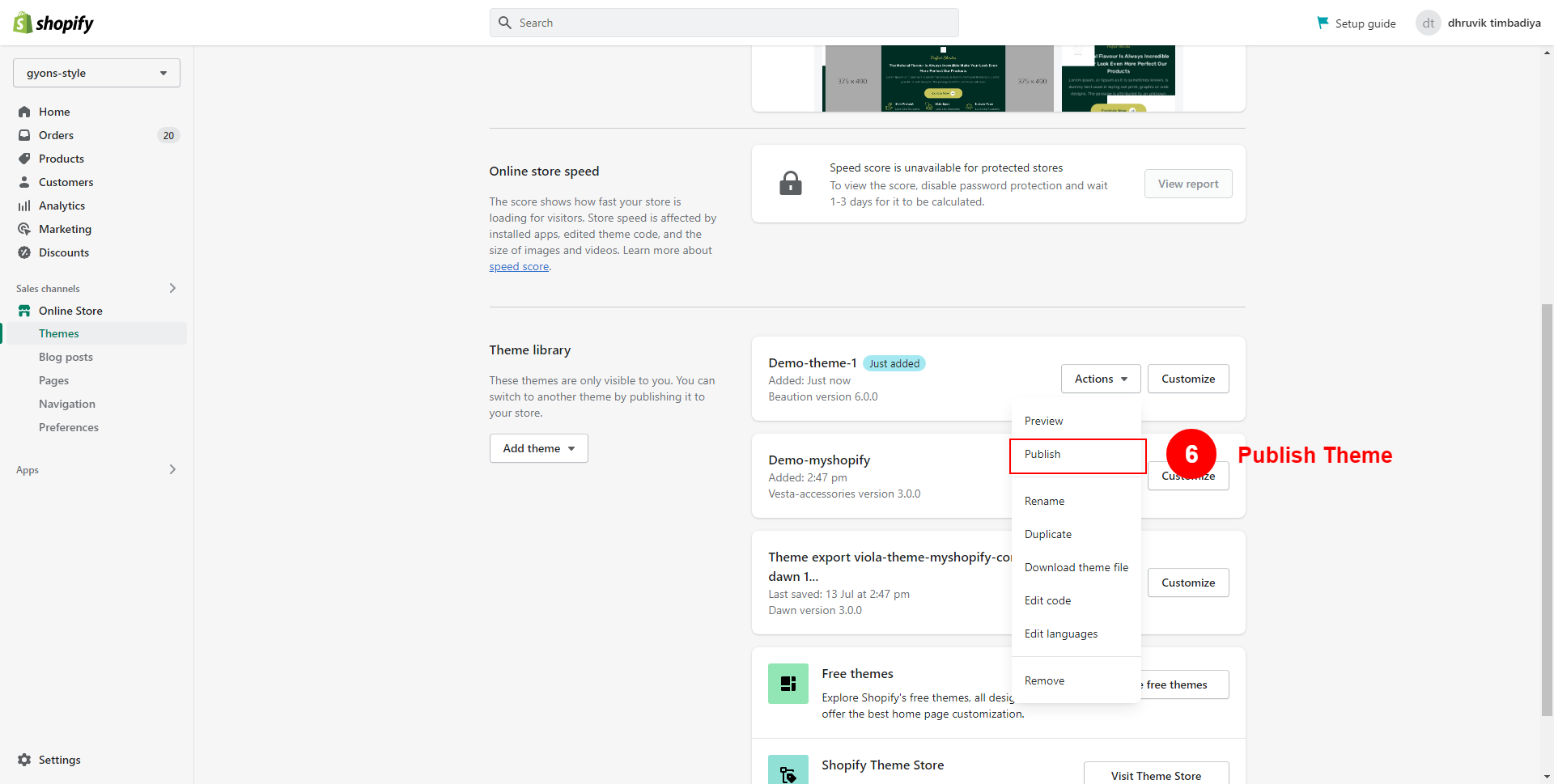
- Publish Theme:- demo-theme-1 Actions > Publish
Installation Video
Well done!
Now Enjoy Beautiful creation
Thank you for purchasing our theme.